Sometimes changes need to be reverted. Hey, it happens!
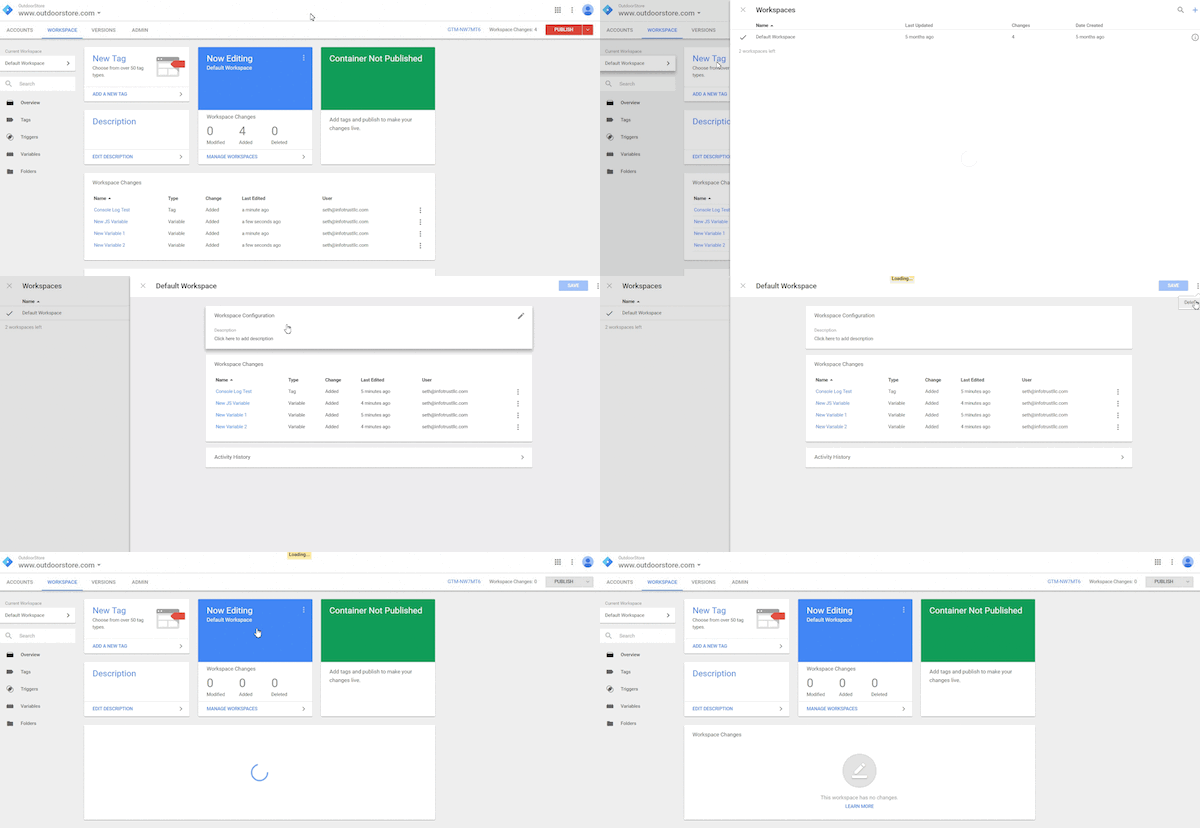
That said, it can be tedious to remove each change that you have made to a Google Tag Manager container one-by-one. Instead of spending countless amounts of time, here’s a quick way to remove them all!
Whether you are in the default workspace or a separate one, you can quickly remove all pending changes by deleting the workspace. If you delete the default workspace, Google Tag Manager will present you with a new default workspace with your latest live changes. Consider that time well saved!